







How to Stay Cyber Safe When Travelling
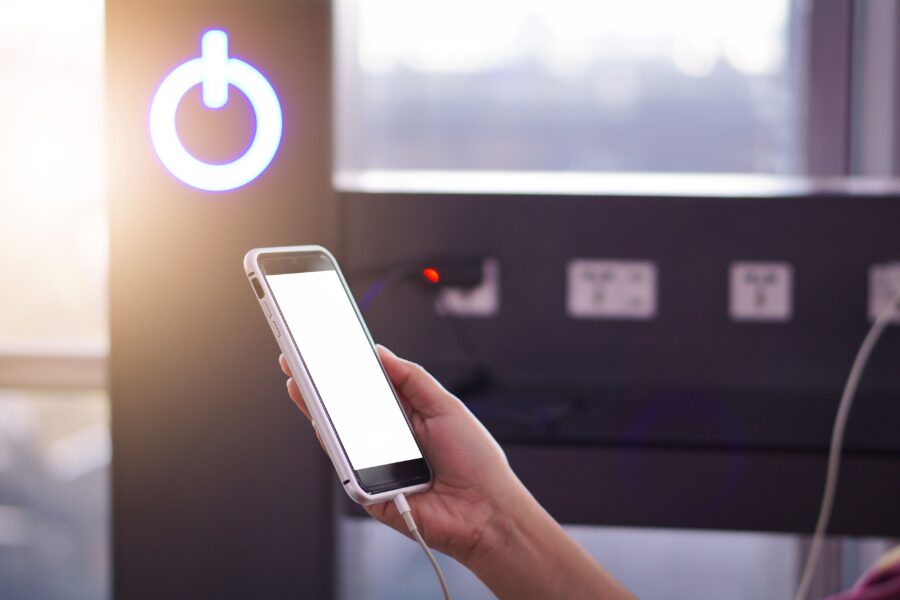
Recently International Traveller Magazine published an article online about why you should never use airport USB sockets to charge your phone. The breakdown of the article is that due to cyber criminals, the FBI and the Transportation Security Administration (TSA) have issued warnings against plugging personal devices directly into public USB charging ports. Specifically those in airports. Criminals can use public USB charging ports to access your device while it charges. Once they’ve connected, it is then possible to steal personal data, install malicious software and even gain remote control of your device. The warning also included to not using free public wi-fi, especially for making online purchases or entering any sensitive information.
You can read the full article HERE.
We thought we should look at some other ways to keep you cyber safe when travelling this holiday season. It turns out that there are quite a few things you can do to protect you from digital headaches, so you can focus on enjoying your trip. Here are our tips:
Update everything
Make sure your operating systems and all your apps are up-to-date. Regular updates include security fixes, so running outdated software is like leaving a window open for cybercriminals. Go to your device settings and install any pending updates before you leave home.
Strengthen your passwords and use two-factor authentication
Before you travel, update your important accounts (email, banking, social media) with strong, unique passwords. A strong password includes a mix of upper and lower-case letters, numbers, and symbols.
Also enable two-factor authentication wherever possible. This requires a second form of verification, like a code sent to your phone, in addition to your password. It makes it much harder for someone to access your accounts, even if they manage to steal your password.
Back up your data
Back up your devices before you leave. You can use cloud services like iCloud, Google Drive, or Dropbox, or back up to an external hard drive that you leave safely at home. If your device is lost or stolen, you won’t lose your precious memories and files along with it.
Install security software
Make sure you have reputable anti-virus and anti-malware software installed on your laptop and smartphone. Also, consider installing a “find my device” feature. This allows you to remotely locate, lock, or even wipe your device if it goes missing.
Use public wi-fi safely
Free Wi-Fi in cafes, airports, and hotels is incredibly convenient, but it’s also a common playground for hackers. These networks are often unsecured, making it easy for others on the same network to snoop on your activity.
Use a Virtual Private Network (VPN)
A VPN is your best defence on public Wi-Fi. It creates a secure, encrypted connection between your device and the internet. This means that even if a hacker intercepts your data, they won’t be able to read it. Before you travel, subscribe to a reputable VPN service and install the app on all your devices. Simply switch it on whenever you connect to a public network.
Turn off automatic connections and sharing
Many devices are set to automatically connect to available Wi-Fi networks. Disable this feature to prevent your device from connecting to a potentially malicious network without your knowledge. You should also turn off file-sharing features (like AirDrop on Apple devices) to prevent unsolicited access to your files.

Be mindful of what you carry
Consider what devices are essential for your trip and leave the rest at home. The less you carry, the less you have to worry about. For the devices you do bring, avoid leaving them unattended in public places, even for a moment. Use the hotel safe to store them when you’re out.
Use a privacy screen
A privacy screen is a simple but effective tool. It’s a filter you place over your screen that narrows the viewing angle, making it difficult for people sitting next to you on a plane or in a cafe to see what you’re doing and steal your passwords or view sensitive information.
Wait until you get back
Posting real-time updates on social media about your location tells the world you’re not at home. This can make your empty house a target for burglars. It’s much safer to wait until you return from your trip to post all your amazing photos and stories. If you must post during your trip, be vague about your exact location and the duration of your stay.
Review your privacy settings
Check the privacy settings on your social media accounts. Make sure your posts are only visible to your friends and not the public. Be cautious about accepting friend requests from strangers before or during your trip. These could be fake accounts looking to gather information about you.
Turn off location tagging
Most social media apps and your phone’s camera can automatically tag your posts and photos with your GPS location. Disable this feature to avoid broadcasting your exact whereabouts. This prevents criminals from tracking your movements or identifying places you frequent.
A little digital awareness goes a long way in ensuring your travels are safe and enjoyable. By preparing your devices, being cautious with public networks, and thinking about what you share, you can significantly reduce your risk of cyber threats. Now you can relax and create wonderful memories, knowing your digital life is secure.
Interested in similar articles? Why not check these out: